ChatGPT & API Magic – How to integrate external data into ChatGPT and save hours
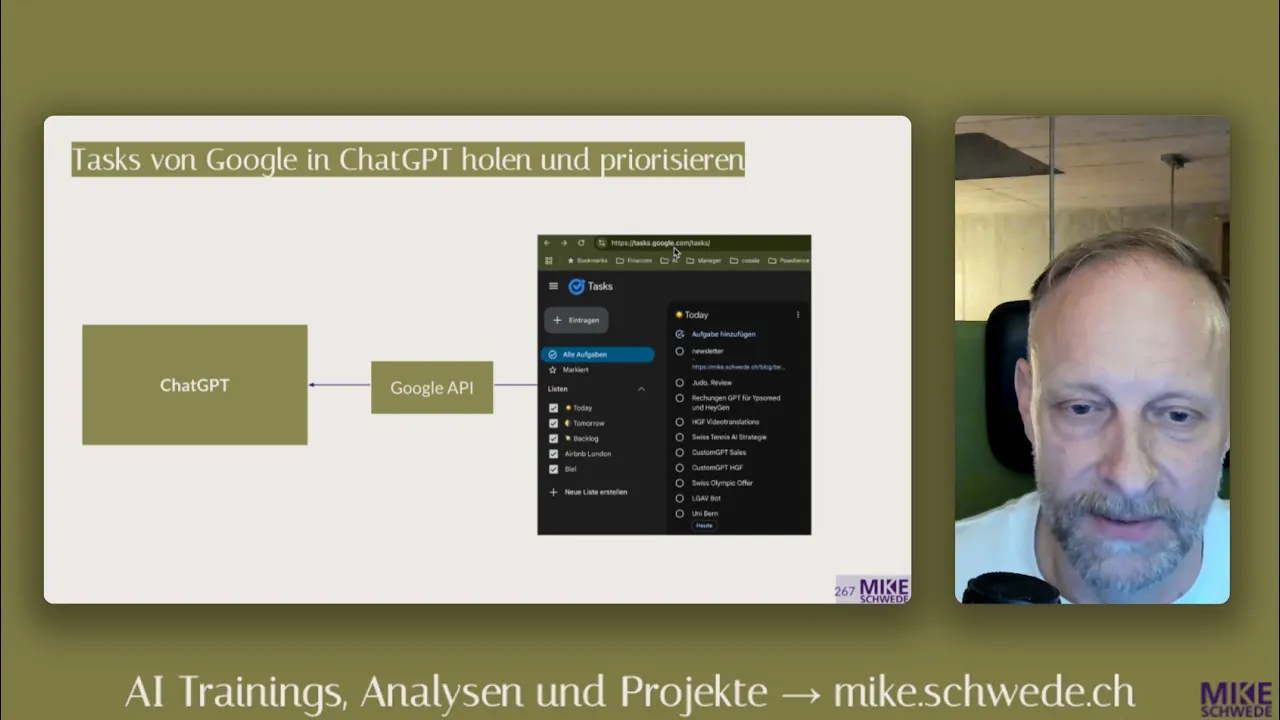
Mike shows how to build a custom GPT that accesses external tools live via API actions – using a Daily Tasks GPT that reads Google Tasks, prioritises them and plans the working day.
What you learn
Custom GPTs can not only use their own knowledge, but also access external data sources live — via API actions. Mike shows how to build a GPT that reads tasks from Google Tasks, prioritises them and plans the day.
Key points
Manually copying data from external tools into ChatGPT is unnecessary — API integration solves this
You do not need to know how to programme: ChatGPT explains step by step and writes the technical schema itself
API actions consist of two parts: authentication and schema (what is retrieved)
Finished GPTs can be made available to the whole team
The Daily Tasks GPT in detail
System instructions:
Read Google Tasks
Assess urgency and importance (especially revenue relevance)
Take deadlines into account
Identify tasks that can be delegated
Plan everything within 6 hours of work time
End with a motivational boost
Example output:
"Finish Uni Bären — deadline today", "Campaign Review — Anna can help", "Adjust company addresses — by tomorrow, administrative"
Step by step
Create the GPT in the GPT Builder
Create a Google Cloud project
Set up an OAuth client (Client ID + Secret)
Let ChatGPT write the API schema automatically
Enter the schema and authentication in the action
Test: "What do I need to do today?" → GPT calls Google Tasks and delivers a prioritised list